SpeechDraft · for iPhone, iPad & Mac
Plan it, write it, say it on time.
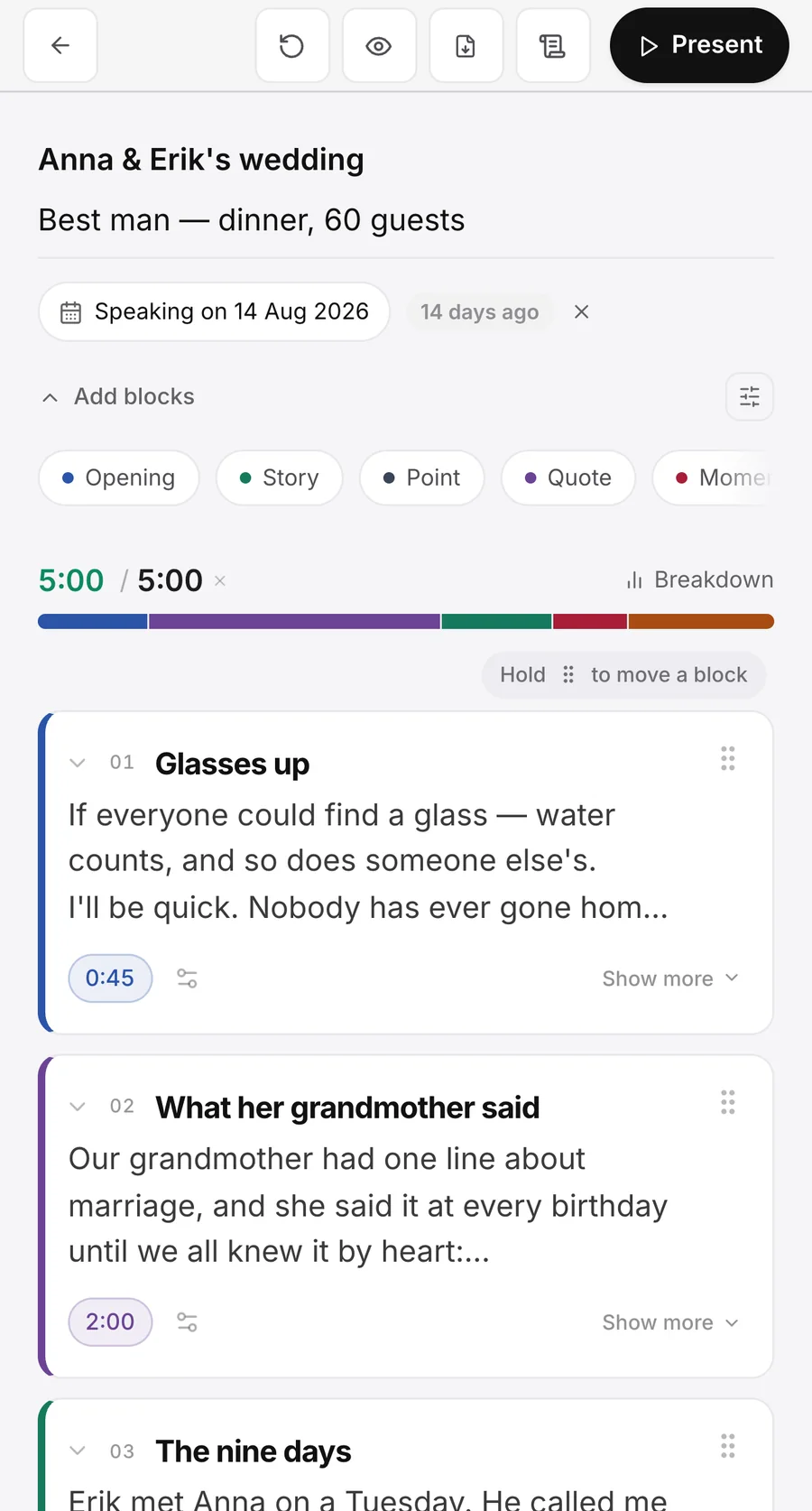
SpeechDraft helps you plan, write and deliver a speech — a wedding toast, a keynote, a eulogy, a set. It breaks your speech into sections, lets you write your lines inside each one, and adds the times up so you know you'll fit your slot, then hands you full-screen cue cards and a teleprompter on the night.
00:02What it does
Plan, write and deliver in one app.
You plan the speech once. Nothing is retyped for the stage: the sections you wrote become the cue cards you read, or the script the teleprompter scrolls.
Structure
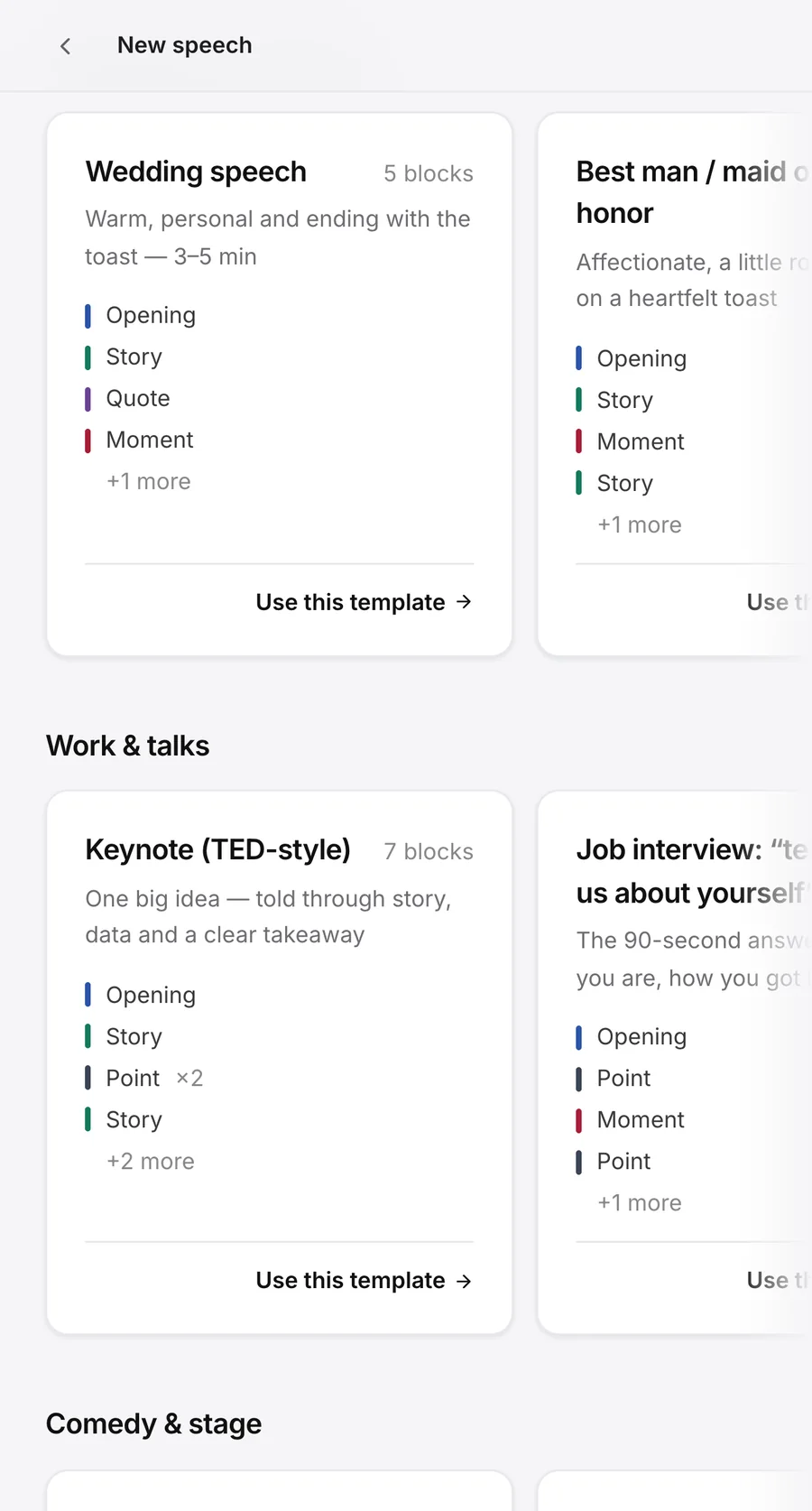
Start from a template that already works.
Choose from 28 speech and presentation templates, including wedding toasts, keynotes, eulogies and best man speeches. Each template divides the speech into sections and includes a short prompt for each one. Every section has a time, and the running total shows whether your speech will fit your available time.
Write
Write your speech inside each section.
Your text is written into the section it belongs to, so the running order and the script stay together. Writing is never limited — not on the free plan, not ever.
Cue cards
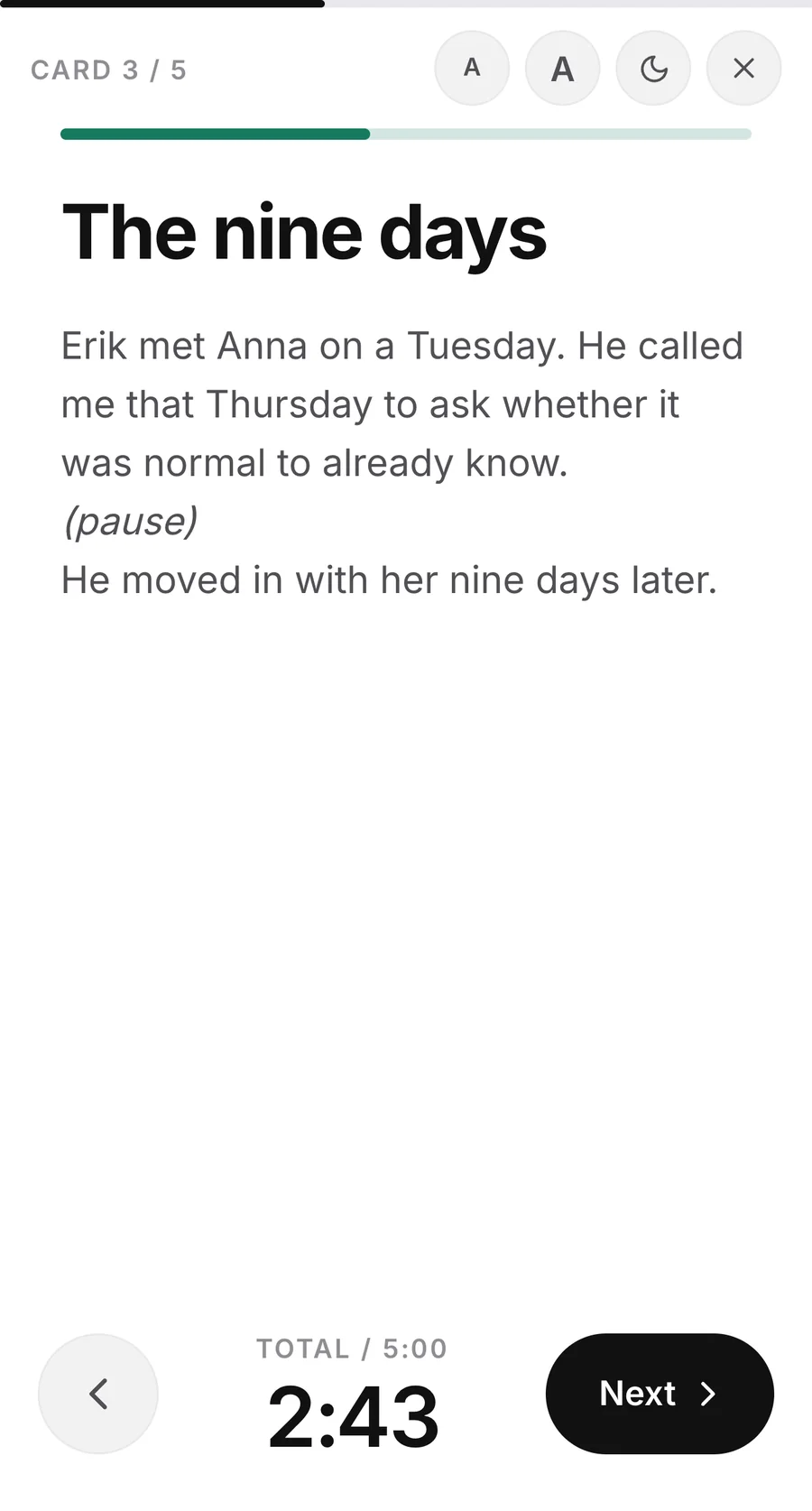
Use your speech as full-screen cue cards.
Read one section at a time in large, easy-to-read type. A stage clock shows how you are tracking against your planned speaking time. The screen stays awake while you present, and cue cards work without an internet connection.
Teleprompter
Or read from the teleprompter.
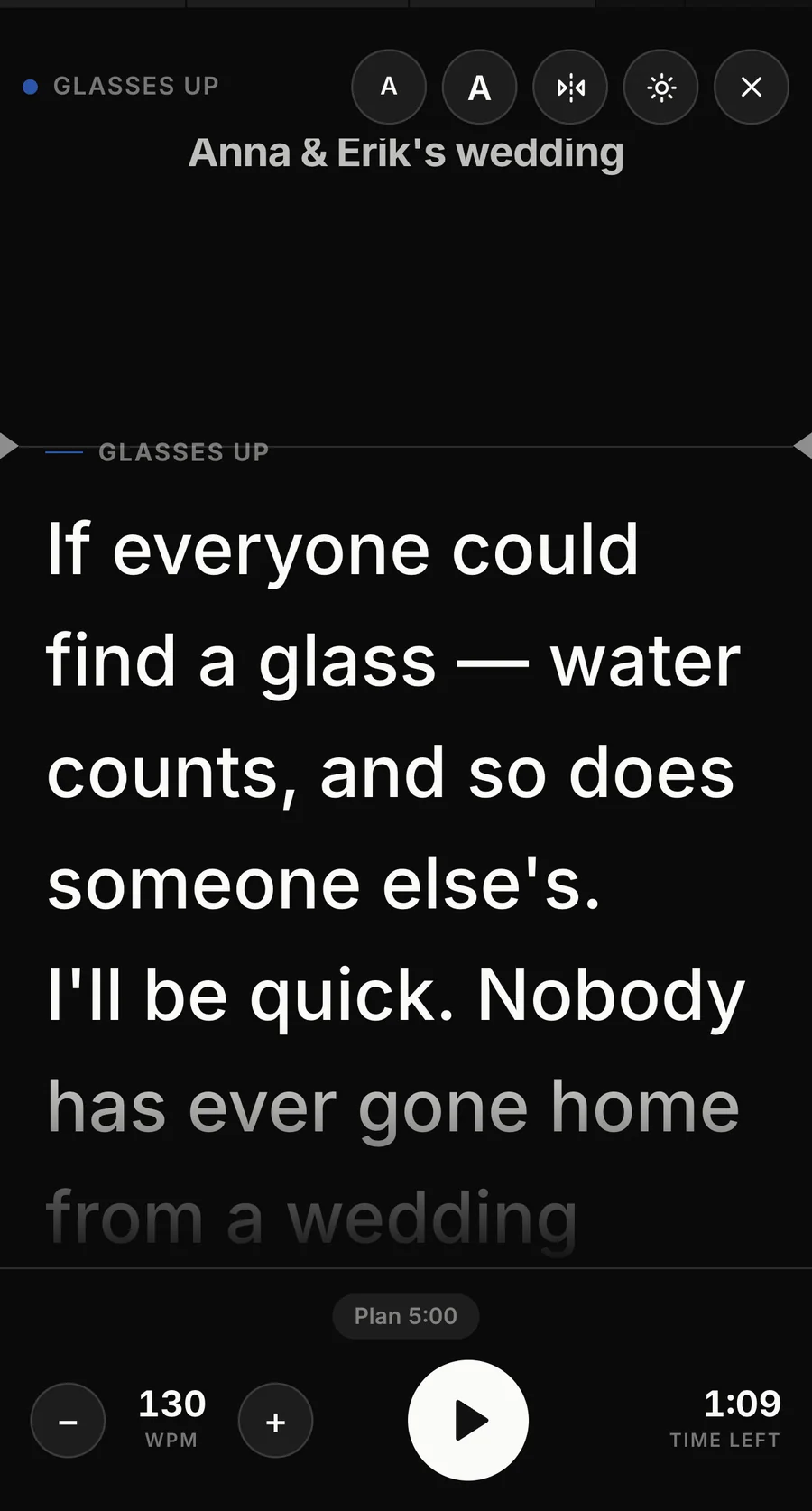
The teleprompter sets its speed in words per minute rather than pixels, so the pace you choose holds at any text size. With Pro, set your target speaking time and SpeechDraft works out the words per minute, then shows whether you are ahead of or behind your plan. It supports mirrored text for beam splitters and Bluetooth page-turner pedals.
00:03Templates
A template for every occasion
28 speech and presentation templates, each shaped by how the real thing actually works. Every section carries a short prompt for what belongs in it.
00:04Pricing
Free to start. Pro is a one-time purchase.
Build and write your first two speeches for free. Pro is a one-time $9.99 purchase with no subscription.
Free
- 2 speeches
- Writing without limits
- The first 3 cue cards on stage
- PDF export with the SpeechDraft mark
Pro
- Up to 20 saved speeches
- All cue cards for delivery
- PDF export without the SpeechDraft mark
- Word and Excel export
- Restore your purchase on your devices
Download on the App Store Build and write your first two speeches for free — the free plan shows the first three cue cards on stage. Pro is a one-time purchase and works on iPhone, iPad and Mac.
00:05Support
Frequently asked questions
Do I need an account to use SpeechDraft?
No. You can build, write and rehearse without an account. Your work is stored on your device. Signing in with Apple adds cloud backup across your devices.
Does SpeechDraft work offline?
Yes. Planning, writing, cue cards and the teleprompter work without an internet connection. Sign-in, cloud backup and purchases require a connection.
What is free, and what needs Pro?
Building and writing are free, with no limit on the words, for your first two speeches. On stage the free plan shows the first three cue cards and scrolls the first three sections of the teleprompter. Pro unlocks every card and the whole script, removes the two-speech limit, and adds Word and Excel export and a PDF without the SpeechDraft mark.
I bought Pro on my old phone. How do I restore it?
Open the upgrade screen and tap Restore purchases. Your Pro purchase is associated with your Apple ID.
How do I delete my SpeechDraft account?
In the app, open the account menu and select Delete account. This deletes your account and your cloud data. Speeches stored on your device remain on your device.
Does SpeechDraft write the speech for me?
No. SpeechDraft provides the structure: sections in a logical order, with a prompt for each section. You write the speech yourself. Content you write in SpeechDraft is not used to train AI models.
Does SpeechDraft have a teleprompter?
Yes. The teleprompter sets its speed in words per minute, so the pace holds at any text size. With Pro, set your target speaking time and SpeechDraft calculates the required words per minute and shows whether you are ahead of or behind your planned time. It supports mirrored text for beam splitters and Bluetooth page-turner pedals.
Does SpeechDraft work on iPhone, iPad and Mac?
Yes. One purchase works on iPhone, iPad and Mac. On Mac, SpeechDraft runs as a Designed for iPad app.
Will the screen dim while I am presenting?
No. Cue cards and the teleprompter keep the screen awake while you are presenting.
What can I export from SpeechDraft?
The free plan includes PDF export with the SpeechDraft mark. Pro adds PDF export without the mark, plus Word and Excel export.
Is SpeechDraft Pro a subscription?
No. Pro is a one-time $9.99 purchase. The purchase can be restored on your devices using the same Apple ID.
Something else?
Email hello@vardnir.com — a person answers.