SteadyPrompter · iPhone · iPad · Mac
Read it at the speed you speak.
SteadyPrompter is a teleprompter that sets its speed in words per minute, not pixels — so the pace you choose is the pace you get at any text size, on any screen. It films you while you read, and the take goes wherever you send it — your camera roll, Files, a message. No account, no cloud, no subscription.
Tell me when it lands Coming to the App Store
00:01The idea
A speed slider is a pixel rate wearing a costume.
Every other prompter hands you a number with no unit. You drag it until it feels about right — and it lies to you the moment you change the text size, because “speed 7” was always pixels per second. Make the type bigger for a stand across the room and you have quietly made yourself twice as fast.
Words, not pixels
The app measures your script — how far it has to travel, and how many words are in it — and solves for the rate. 130 words a minute is 130 words a minute on a phone, on an iPad, at any size of type, in any line width.
Fit it to your slot
Six minutes on the programme? Type six minutes and the pace follows. Lengths nobody could read it in are not offered at all — 900 words in two minutes is not a speed problem, it is a cut, and the app says so.
Film it as you read it
Record on the same device you are reading from. Choose the shape first — 9:16, 16:9 or 1:1 — and the file is that shape, not a landscape video you discover in the edit. With the camera off, record your voice alone.
00:02On screen
Three screens, and no fourth.
The scripts you have, the one you are working on, and the stage. Every screen a prompter app adds is a screen between a nervous person and the thing they came to do.
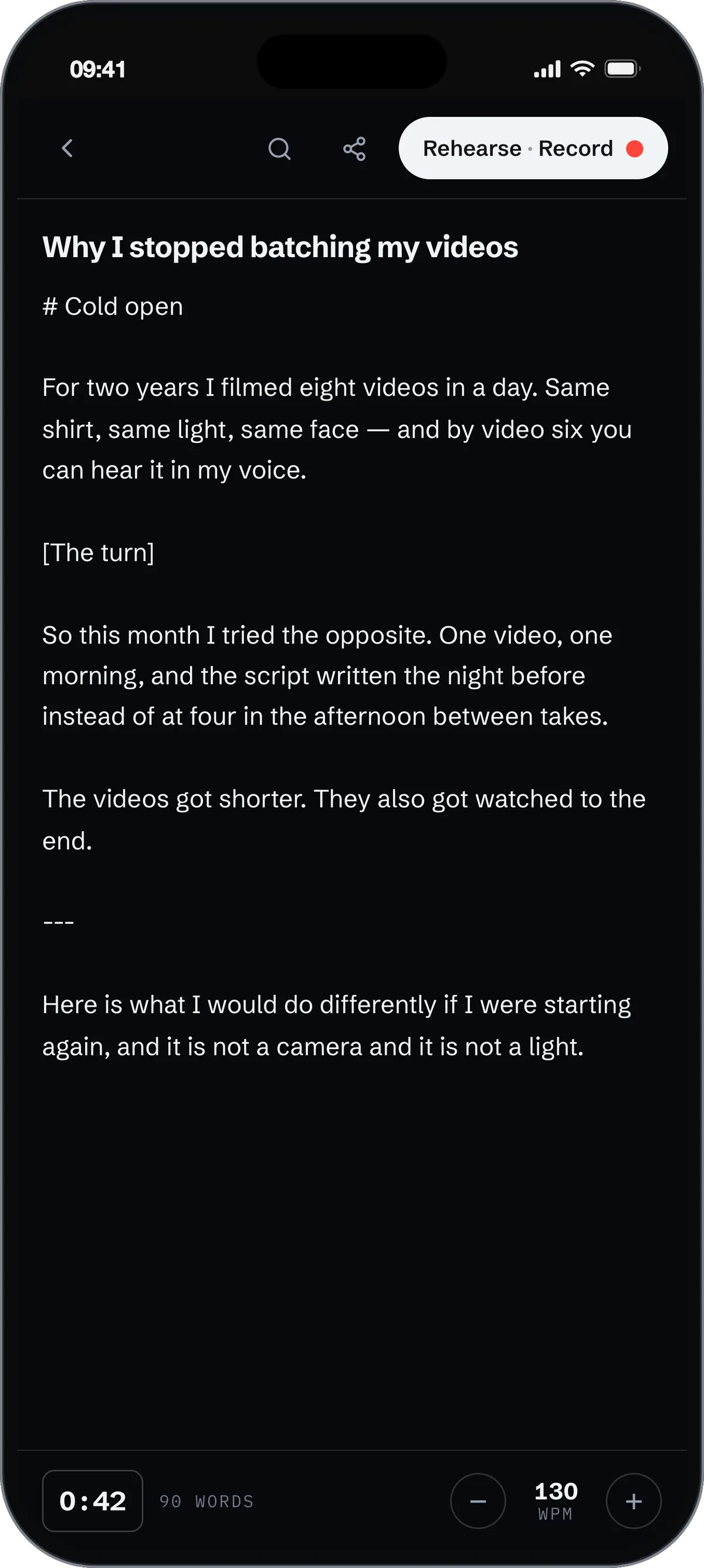
Open the Word file, paste it, or type it. The clock at the bottom is tappable: give it the length you have and the speed follows.
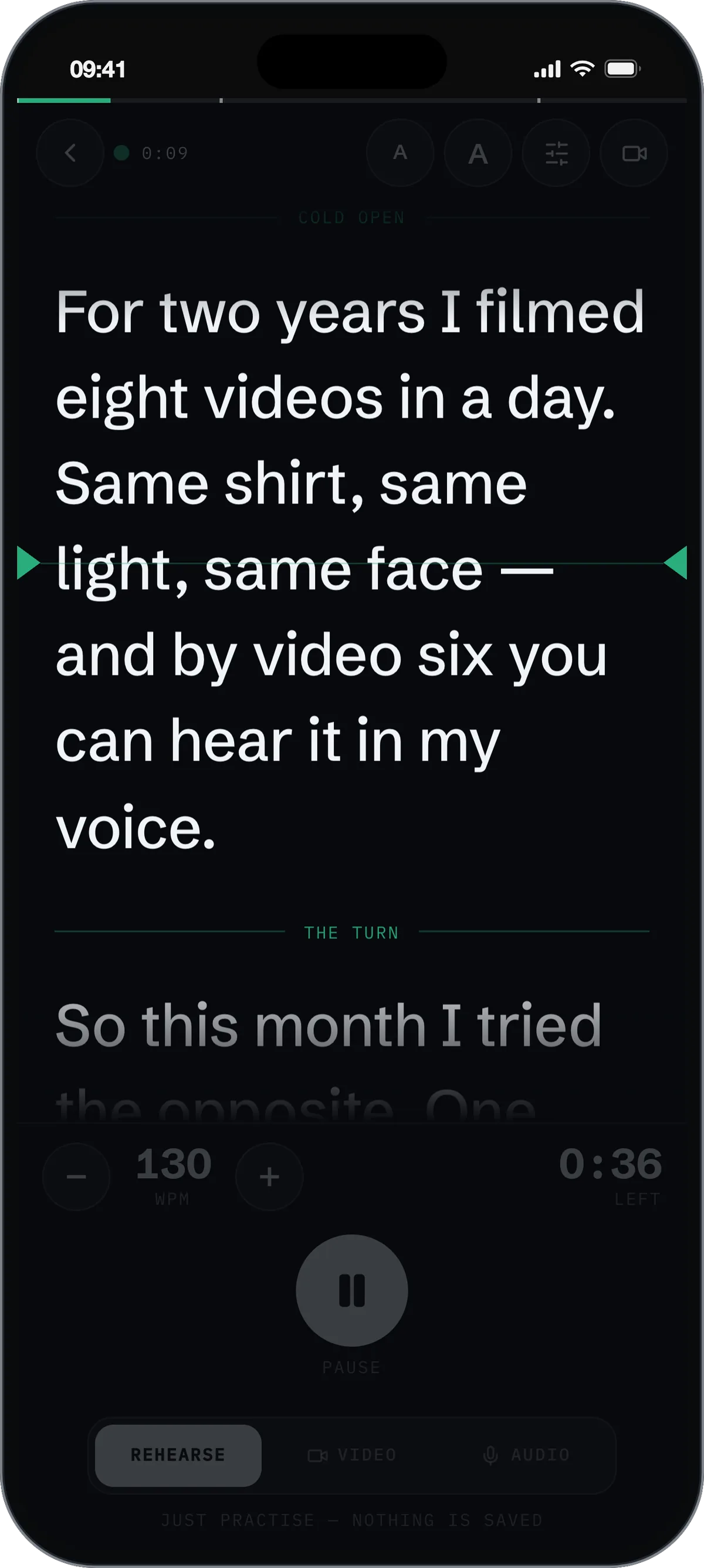
A reading line you can find without looking, the sections marked as you pass them, and the one number that matters: how long is left.
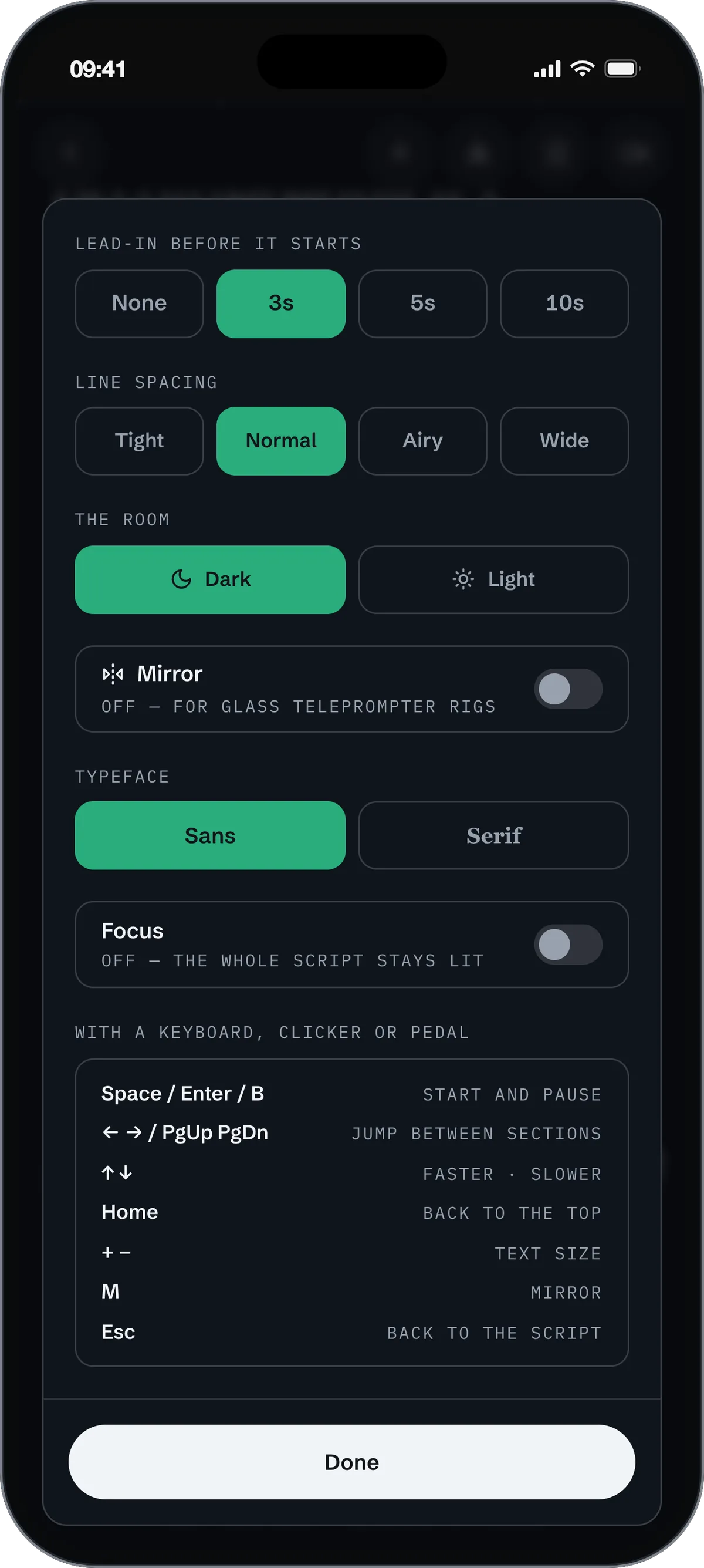
A lead-in long enough to reach a lectern, mirroring for a beam splitter, and the keys your Bluetooth pedal already sends.
00:03The rest of it
What else is in there.
Bring the script you already wrote
Nobody writes their script in a prompter. Open a Word document, plain text, rich text, a Pages file, a saved web page or a PDF, and it is in. Anything that cannot be read tells you which format it is and the one thing to do instead, rather than shrugging at you.
Find your place from across the room
Write a heading, a [cue] or a --- on a line of its own and it becomes a signpost on the stage, a tick on the progress bar, and a stop your clicker jumps between. Half a screen is a unit nobody thinks in; “back to the second story” is the only navigation there is when you are standing up.
Pedals and clickers already work
Nothing has to pair. Bluetooth page-turner pedals and presentation clickers both present to the device as keyboards, and the app listens for the keys they actually send — including the blank-screen button, which on a two-button clicker is the only one left.
The recording is yours the moment it stops
It is never uploaded and the app keeps no copy of its own. When a take finishes you are asked where it goes — your camera roll, Files, a message — and once it is delivered the working copy is deleted. There is no in-app gallery to manage and no library quietly eating your storage.
Export what you actually read
Scripts get quietly rewritten on the way to the stage. Export the final one and every change since you brought the file in is marked — additions in colour, cuts struck through — so whoever wrote it can see what happened to their words. It opens in Word, Pages or Docs, and prints to PDF from any of them.
00:04Why it is called Steady
Nothing here can fail while you are standing up.
A teleprompter is used at the most nerve-racking minute of somebody’s month. Every part of a modern app is a way for that minute to go wrong: a session that expired overnight, a sync wheel that will not stop turning, a server having a bad morning, a model quietly rewriting a sentence you meant. So there are none of them here.
It works in aeroplane mode
Not as a fallback — as the specification. The app makes no network requests at all. Turn the wifi off and nothing about it changes, because there was never anything on the other end. The single exception is the moment you choose to buy something, which runs on Apple’s own payment sheet.
There is no account to expire
Nothing to sign in to, nothing to sign out of, no password to have forgotten at ten to seven. You open it and your script is there — including the one you were last working on, which is the one you came back for.
Your words stay yours
They are never uploaded, never analysed, and never used to train anything. Not as a policy we could change next year — as a fact about where the software runs. With nothing collected at all, the App Store privacy label reads Data Not Collected, and Apple prints that, not us.
One price, once
No subscription to lapse, no trial to run out mid-sentence. And because you cost nothing to serve, almost all of it can simply be free.
This is not nostalgia, and it is not a complaint about anything else. It is a trade, made on purpose: the app will never surprise you with a clever new idea, and in exchange it will never surprise you at all.
00:05What it costs
Free, and one thing you can buy.
Rehearsing a wedding speech should cost nothing, and it does. The purchase exists for the person publishing the take — who would rather not have somebody else’s name in the corner of their own video.
Free
- The whole prompter, unlimited scripts
- Fit the script to your running time
- Import, export, rehearse, record
- Voice recording without a mark
- Video carries a small mark in the corner
Remove the mark
- Video with nothing in the corner
- Bought once — not a subscription
- Every device on your Apple ID
- Restorable on a new phone
- Everything else was free anyway
00:06Questions
Questions people actually ask.
Is it free?
Yes. The prompter, the timing, importing and exporting, unlimited scripts, rehearsing and audio recording are free and not limited in any way. Videos you film carry a small SteadyPrompter mark in the top corner; one purchase of $9.99 removes it for good. There is no subscription.
Why words per minute rather than a speed slider?
Because a slider in arbitrary units is a pixel rate, and it changes meaning the moment you change the text size — the same setting is twice as fast at 24pt as at 48pt. This measures the script and solves for the rate instead, so 130 wpm holds at any size, on any screen.
Where do my recordings go?
Wherever you send them. When a take stops you are asked, and the system share sheet does the rest — “Save Video” puts it in your camera roll, or send it to Files, a message, or AirDrop. Nothing is uploaded, and the app deletes its working copy once the take is delivered.
Does it work offline?
Completely. The app makes no network requests at all. The only thing that needs a connection is buying the one in-app purchase, which goes through Apple’s payment sheet.
Do I need an account?
No. There is nothing to sign in to and no password to have forgotten at ten to seven.
Does my Bluetooth pedal or clicker work?
Yes, without pairing anything to the app. Pedals and clickers present to the device as keyboards: Space, Enter and the blank-screen key start and pause, and the forward and back buttons jump between the sections of your script.
What files can I open?
Word (.docx), plain text, Markdown, rich text, saved web pages, Apple Pages documents and PDF. Or paste it, or type it here. Anything that cannot be read tells you which format it is and the one thing to do instead.
Will it work on a teleprompter rig?
Yes — there is a mirror mode for beam splitters, a dark or light stage, line spacing, a serif face, and a lead-in of up to ten seconds if you have to walk to a lectern. The screen stays awake for as long as you are reading.
Does it rewrite my script?
No. Nothing you write is changed, analysed, uploaded, or used to train anything. It scrolls the words you gave it — and when you export, it shows exactly what changed between the file you brought in and the script you actually read.
Does it run on iPad and Mac?
Yes. One app covers iPhone, iPad and Apple Silicon Macs, and the purchase follows your Apple ID across all of them.
I bought it on my old phone — how do I get it back?
Open the unlock sheet and press Restore purchase. It follows your Apple ID; there is no account of ours involved.
00:07Contact
Write to us.
If you read to a camera for a living, the most useful thing that can happen to this app is hearing from you. Support, a bug, a feature that would save you a take — one address reaches it, and a person answers.