Speaker notes: what to write, and how to use them
Speaker notes are short prompts that only you see while you present. They remind you what to say for each slide or each part of a speech. Good notes are a few keywords in large type. They are not a script.
00:01What to write
Write what you would forget.
You know your subject. Notes are for the things that slip under pressure.
| Put in your notes | Leave out |
|---|---|
| The point of this part, in five words | Full paragraphs |
| Numbers, dates and names | Anything already on the slide |
| Your first line and your last line, word for word | Explanations you can give in your sleep |
| The sentence that leads to the next part | Stage directions you will not follow |
| How long this part should take | Small type |
00:02An example
The same part, as a script and as notes.
Script, 70 words
Three years ago we delivered to four offices, and every Friday I drove the van myself. Today we deliver to sixty, with nine drivers, and the thing that changed was not the bread. It was that we stopped taking orders by phone. That one decision cut our mistakes by half in the first month, and it is the reason I am standing here.
Speaker notes, 14 words
4 offices → 60
Not the bread
Stopped phone orders
Mistakes halved, month one
“Why I am here”
The notes take one glance. The script takes thirty seconds of reading with your head down.
00:03How much
Three to five lines a minute.
At a normal pace you say about 130 words a minute. Your notes should hold a tenth of that.
| Length of talk | Words you say | Lines of notes | Cards or slides |
|---|---|---|---|
| 2 minutes | About 260 | 6 to 10 | 2 |
| 5 minutes | About 650 | 15 to 25 | 5 |
| 10 minutes | About 1,300 | 30 to 50 | 7 |
| 20 minutes | About 2,600 | 60 to 100 | 12 |
Not sure how long your text runs? The speech time calculator turns words into minutes.
00:04With slides
Where the notes are in PowerPoint, Keynote and Google Slides.
All three keep notes under each slide and show them on your own screen in presenter view.
| App | Write them | See them while presenting |
|---|---|---|
| PowerPoint | Click Notes at the bottom of the window and type under the slide | Slide Show tab, tick Use Presenter View, then start the show |
| Keynote | View menu, Show Presenter Notes, then type under the slide | Play the slideshow with a second display connected, or use Rehearse Slideshow to practise |
| Google Slides | Type in the field under the slide that says Click to add speaker notes | Open the menu beside Slideshow and choose Presenter view |
Menus move between versions. If a name has changed, search the app's help for “presenter view”.
00:05Without slides
Speech notes for a toast, a eulogy or a talk with no screen.
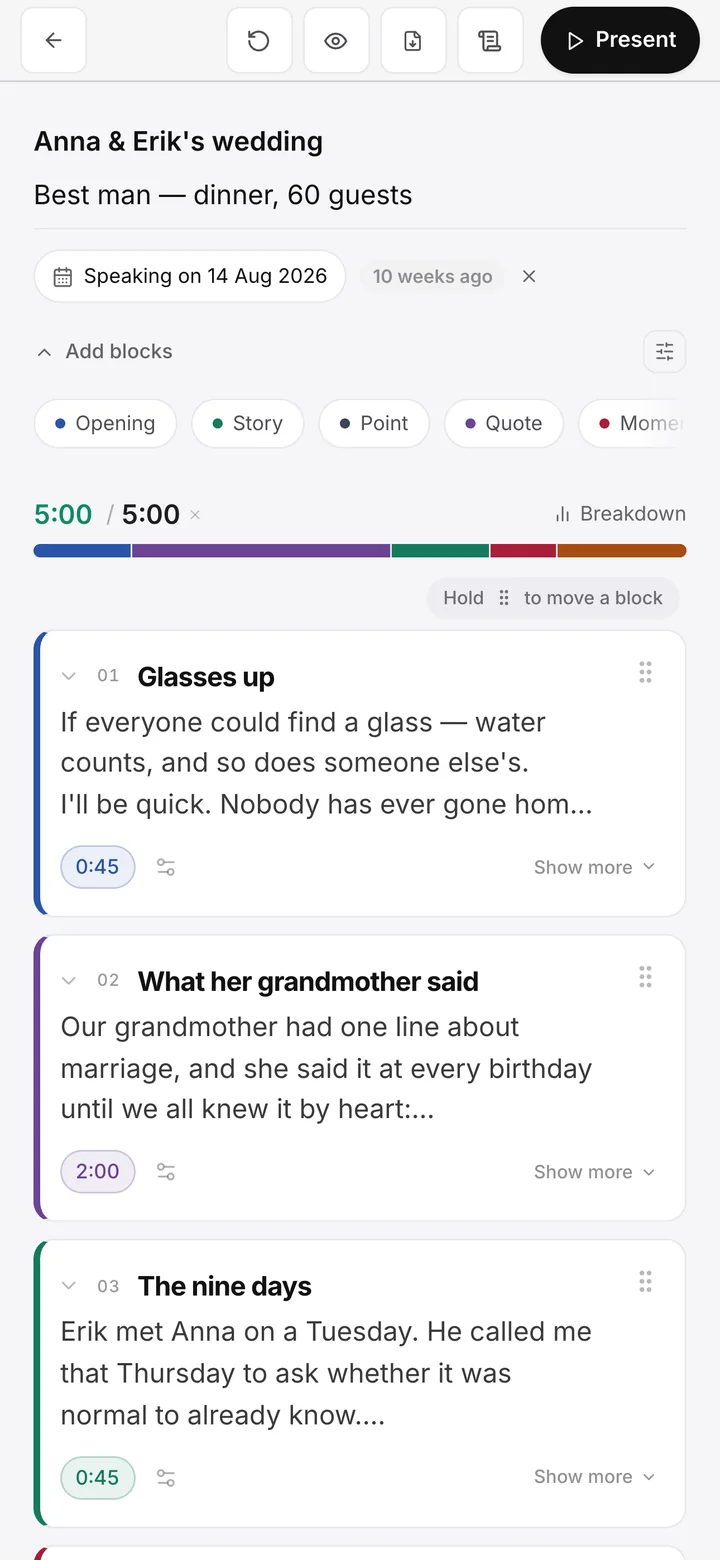
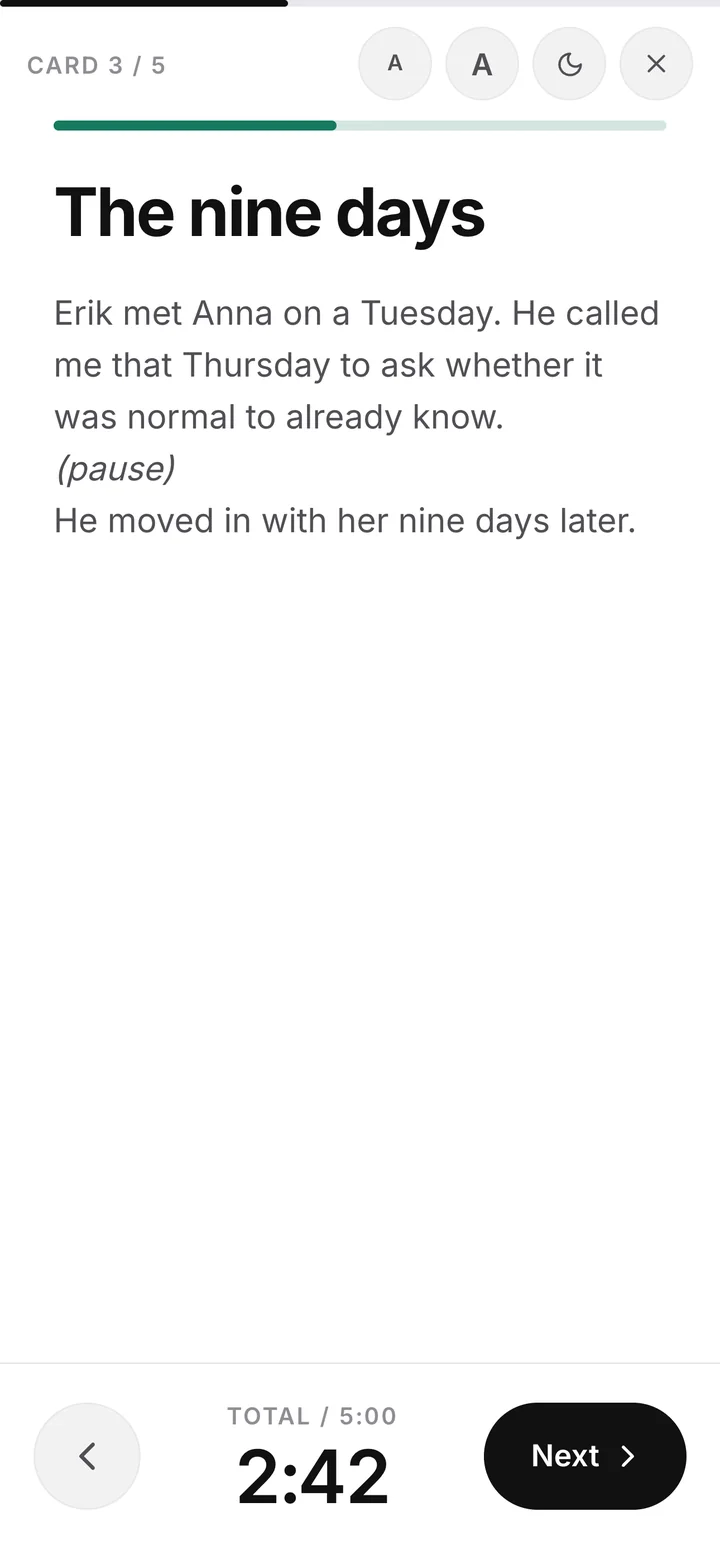
Most speeches have no slides to hang notes on. Then the notes are cue cards: one card for each part, a few lines in large type, and a clock so you know if you are on time.
 SpeechDraft
Write the speech part by part. Present from the notes.
One card for each part, in large type, with a clock that keeps pace.
Free to start. Pro is $9.99, once.
Start from an outline: wedding speech, eulogy, keynote, lightning talk, or all 64 templates.
Questions.
Asked about speaker notes.
What are speaker notes?+
Short written prompts that only the speaker sees while presenting. They hold what you want to say for each slide or each part of a speech: the point, a number, a name, the line you must get right. The audience sees the slide or just you.
How long should speaker notes be?+
Three to five short lines for each minute you speak. Use keywords and half sentences in large type. If the notes are full paragraphs you will read them, and the room hears it.
Can the audience see my speaker notes?+
No, as long as you present in presenter view. Your own screen shows the notes, the next slide and a clock, and the projector or shared window shows only the slide. Check which screen is which before you start.
Should I write a script or speaker notes?+
Write the script first if the words matter, then cut it down to notes. Keep full sentences only for the opening line, the closing line and anything you quote. Everything else works better as keywords.
What are speech notes when there are no slides?+
The same thing on cards or a phone: one card for each part of the speech, with a few lines in large type. A wedding speech, a eulogy or a toast is usually given this way.
How do I use speaker notes without looking down all the time?+
Look at the note while you pause, then look up and say it. One glance for each point. Notes in large type with few words make that possible, and a full page of text does not.
More free tools.
No sign-up. Nothing leaves your browser.