Ask friends for stories for your speech
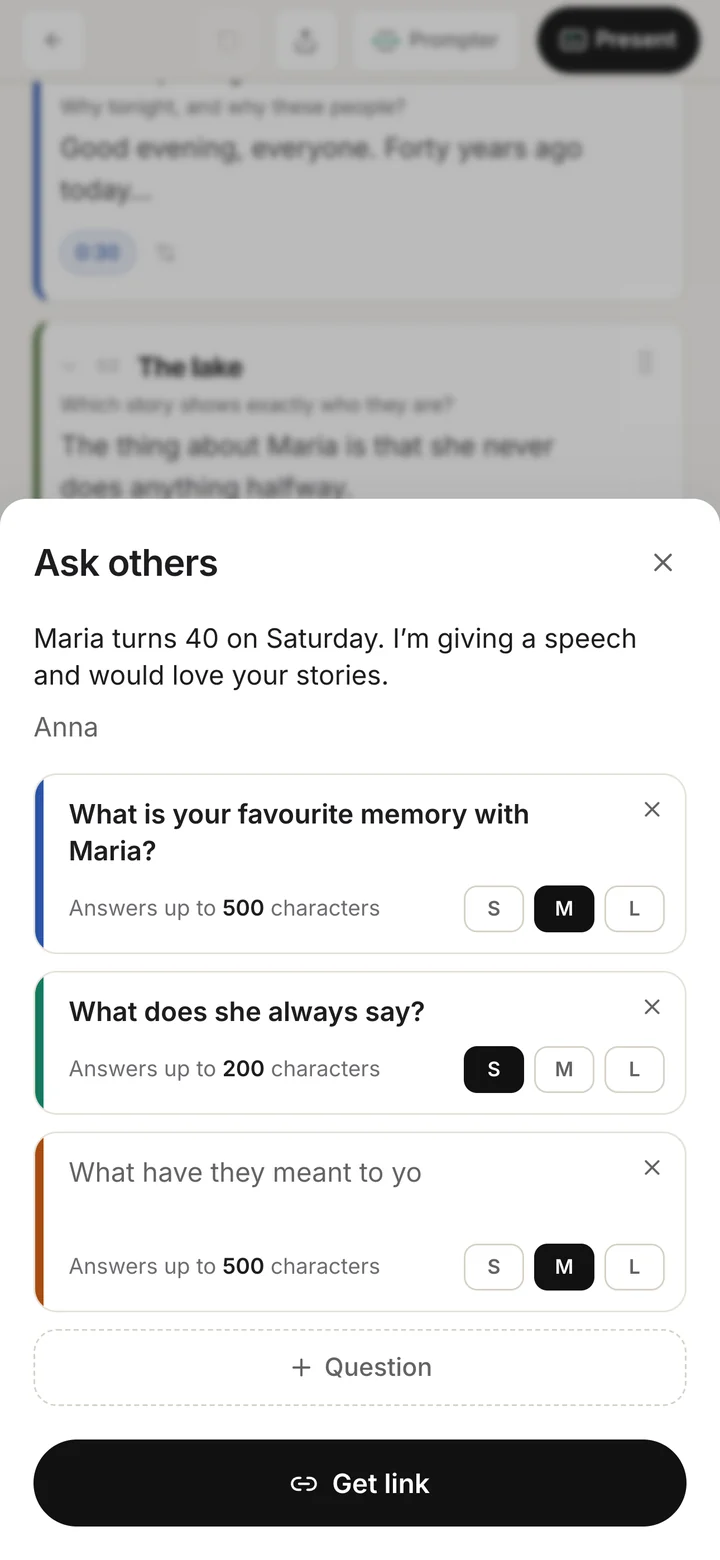
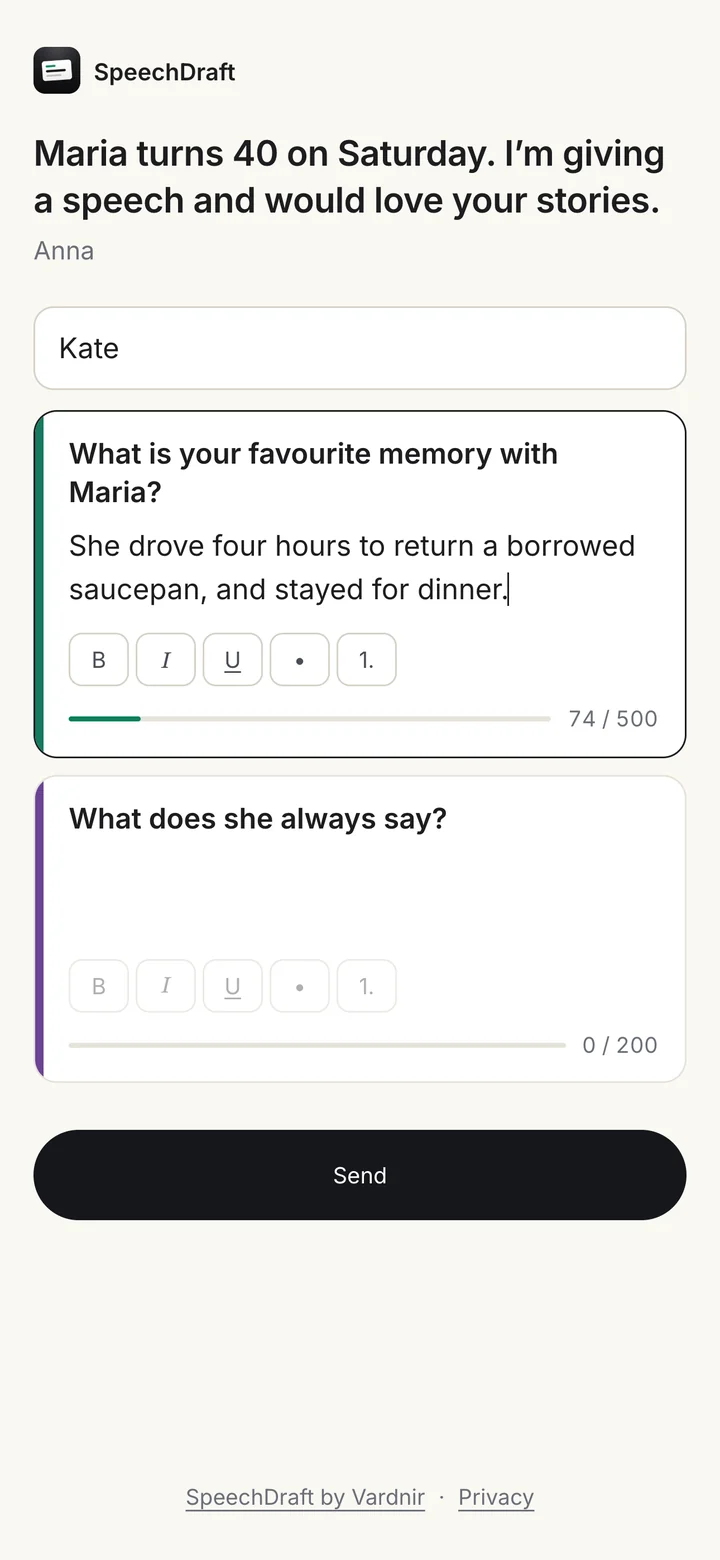
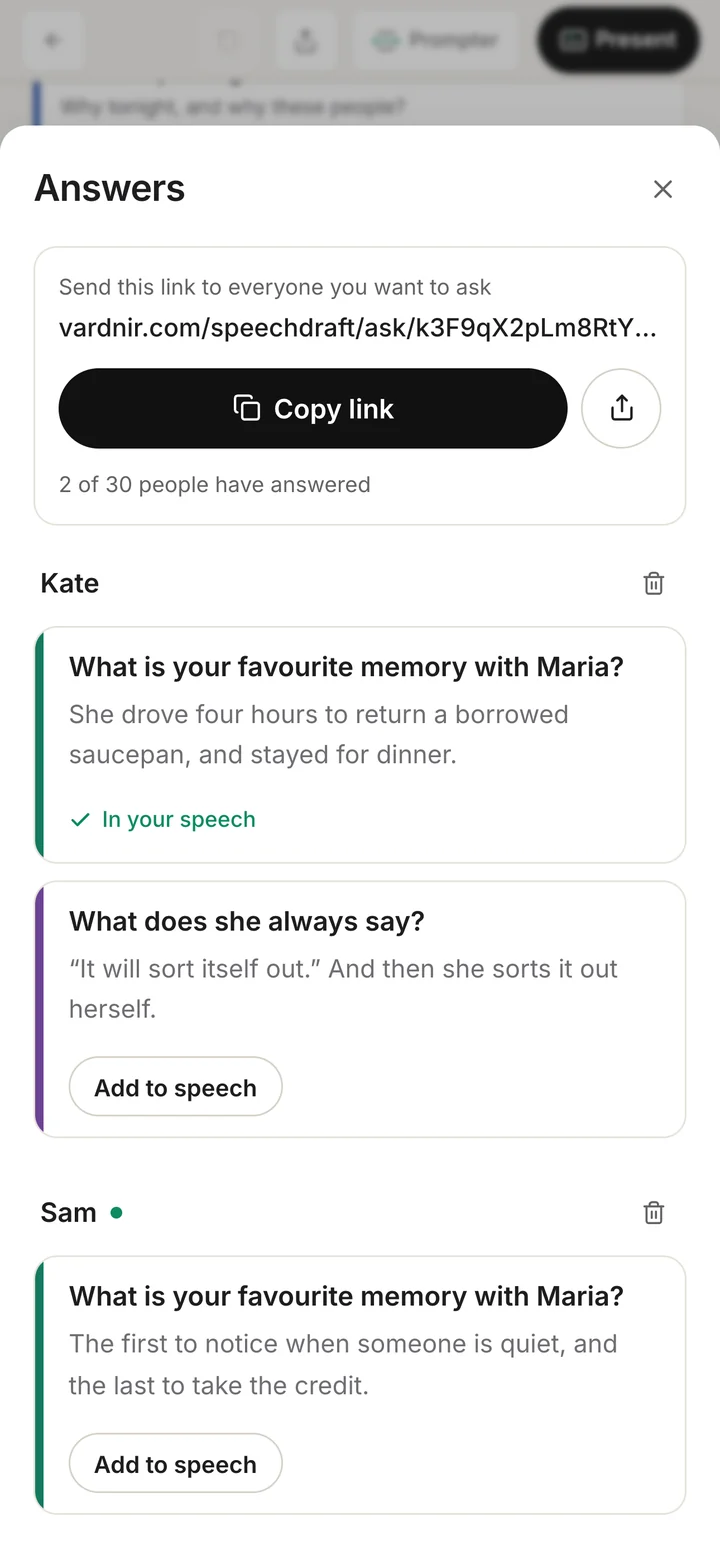
The best lines in a speech about someone often come from the people who know them. In SpeechDraft you write a few questions and send one link. Each person answers in their browser, with no app and no account, and every answer comes back as a block you can add to your speech.
00:01How it works
Ask, wait, add.
It starts under the blocks of your speech, with Ask others.
00:02What to ask
Two or three questions get better answers than ten.
Ask for one story, not for everything. Use the person’s name where these say them.
| Occasion | Questions that get stories |
|---|---|
| Wedding speech | What is a story about them that only you could tell? When did you know these two belonged together? What do you wish for them? |
| Birthday or anniversary | Which story shows exactly who they are? What do they always say? What do you wish them for the years ahead? |
| Eulogy | Which story sounds most like them? What ordinary thing did they do that you will miss? What did they give you that you still carry? |
| Retirement or farewell | Which piece of their work do you still point to? What will you remember about working with them? What would you like to thank them for, exactly? |
| Roast | Which story about them gets told at every party? What have they said that nobody has let them forget? Under all the jokes, what is true about them? |
| Talk or pitch | Which example from your own work would make this real? Which number or fact should the room hear? What problem do you run into that this talk should name? |
Start from an outline: wedding speech, best man speech, eulogy, retirement speech, or all 64 templates.
00:03The facts
Small on purpose.
The people you ask give you their words. This is what happens to them.
| What they need | A browser. No app and no account. |
| What they give | Their name and their answers. No email address, no phone number. |
| Who sees an answer | You, and the person who wrote it. |
| Answer length | S 200, M 500 or L 1,000 characters. You choose for each question. |
| Formatting | Bold, italic, underline and lists, the same as in a block. It follows the answer into your speech. |
| How many people | 3 on the free plan. Up to 30 with Pro. |
| How long | The link takes answers for 30 days. Answers are deleted 30 days after that. |
| Changing an answer | They can edit or delete it from the phone they wrote it on, while the link is open. |
| Language | Your questions, in any language. The few fixed words follow the phone of the person answering. |
| Tracking | None on the page they open. |
The details are in the privacy policy.
 SpeechDraft
Ask them. Then write it in your own words.
A few questions, one link, and the answers land in your speech as blocks.
Free to start. Pro is $9.99, once.
SpeechDraft does not write the speech for you. Why that matters.
Questions.
Asked about collecting stories.
How do I collect stories from friends for a speech?+
Write two or three questions, send them to the people who know the person, and give each answer a limit so nobody writes a page. In SpeechDraft you write the questions, send one link, and every answer comes back under the name of the person who wrote it.
Do the people I ask need the app or an account?+
No. They open the link in their browser, write their name, answer and send. There is nothing to install and nothing to sign up for.
Who can see the answers?+
Only you. Each person sees their own answers and nobody else’s. The link preview in a chat never shows a name.
How long can an answer be?+
You choose for each question: S is up to 200 characters, M up to 500 and L up to 1,000. The person answering sees a counter, such as 50 / 200, while they write.
How many people can answer, and for how long?+
Three people on the free plan and up to 30 with Pro. A link takes answers for 30 days, and you can close it sooner.
What happens to the answers afterwards?+
A link takes answers for 30 days, and the answers are deleted 30 days after that. Until then, a person can change or delete their own answer from the phone they wrote it on, and you can delete any answer.
Does SpeechDraft write the speech from the answers?+
No. SpeechDraft does not generate text. An answer becomes a block in your speech when you tap Add to speech, and you edit it like any other block.
Where can I use it?+
In SpeechDraft in the browser today. The iPhone, iPad, Mac and Android apps follow.
More free tools.
No sign-up. Nothing leaves your browser.