Free tool · No sign-up · Nothing uploaded
Cue card maker
A cue card template you fill in on the page: write your speech or presentation straight onto the cards, paste it and have it shared out over cards, or start from an outline. Print the cue cards at home on paper or index cards, or download PDF and Word.
Start your cards
Three ways in. Whichever you choose, every card can be changed afterwards.
Each paragraph starts a new card, and a long paragraph is shared over as many cards as it needs.
Most used
Tap one to get a card for each part of the speech, in the order the room expects, with a question on each to start you writing. The same outlines as in SpeechDraft.
Write on your cards
The card is drawn the size it prints. Drag the small cards to change the order.
1 card
Saved

SpeechDraft by Vardnir
Keep every speech, not just this one.
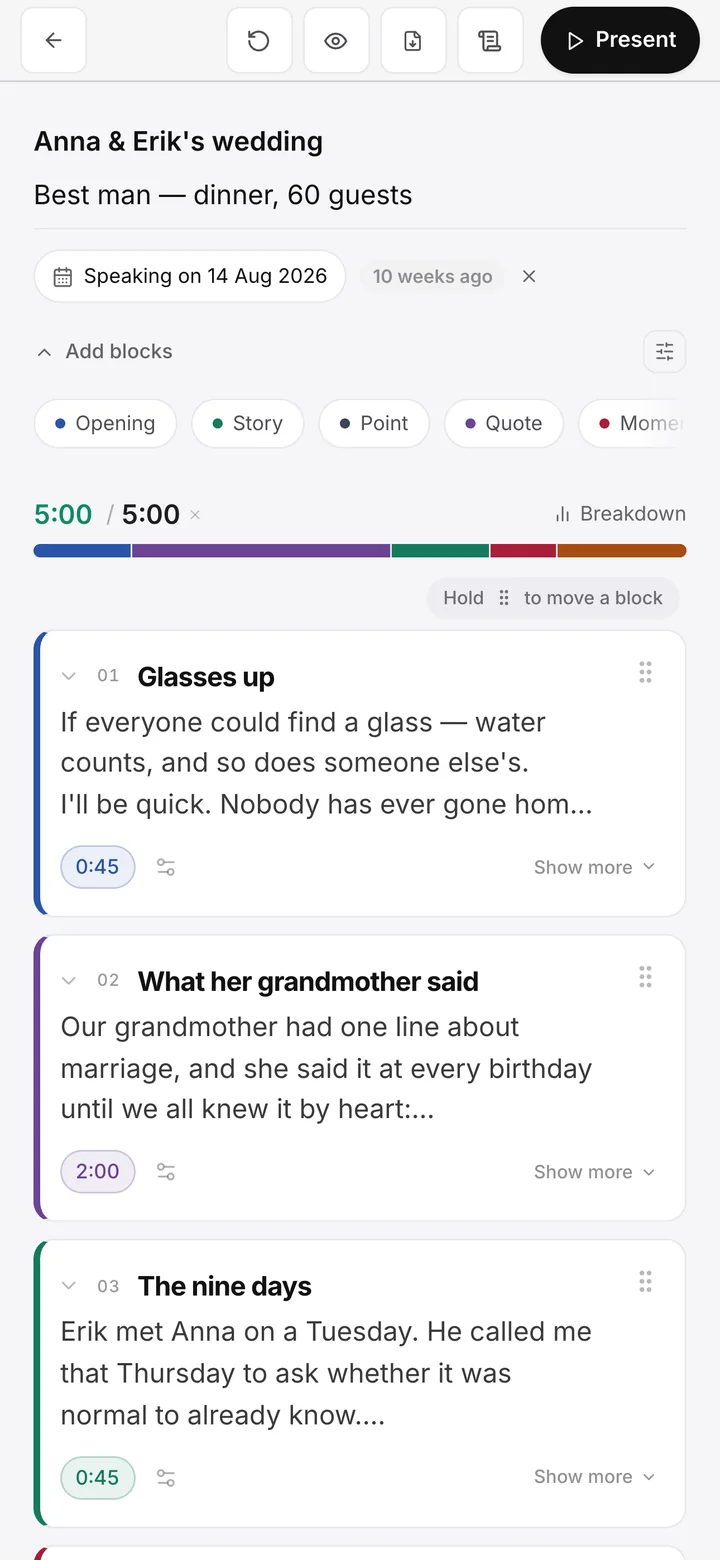
SpeechDraft is the app for writing and giving speeches. Make and save as many speeches as you like, print them or save them as PDF, and give them from digital cue cards with a stage clock, or from a teleprompter.
Free to start · iPhone, iPad, Mac and any browser
Print, download or share
First choose what you will print on.
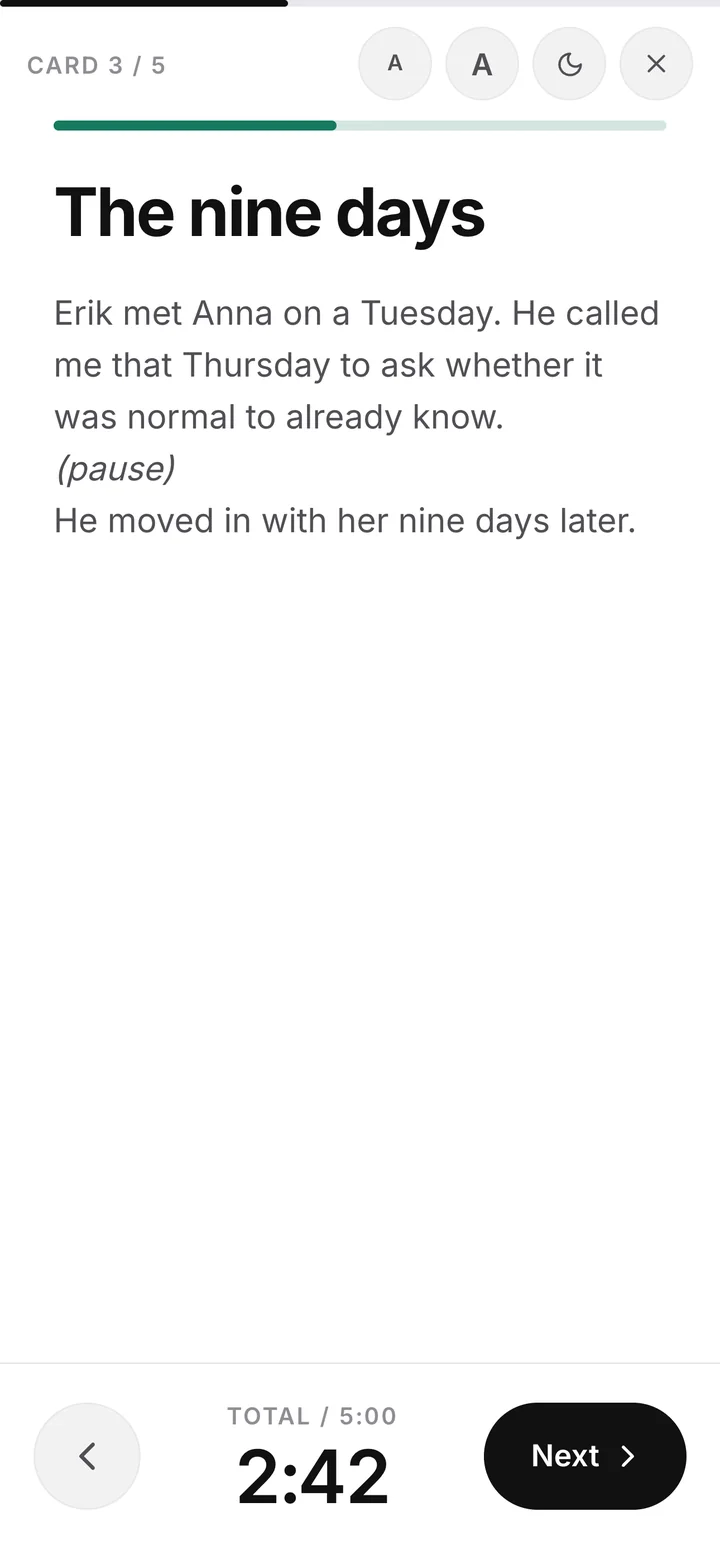
Open these same cards in SpeechDraft and present them from your phone: swipe to the next card, with a clock that tells you when you run long. It opens the app if you have it, or SpeechDraft in your browser if you do not, with every card. SpeechDraft is an app from Vardnir.
SpeechDraft
Or keep your cue cards on your phone.
SpeechDraft is digital cue cards for every speech, from Vardnir. The cards you make here open in it as they are.
- Swipe to the next card. Nothing to drop, nothing to lose.
- A clock on stage that turns amber when you run long.
- A teleprompter for the parts you want word for word.
- 64 outlines, from the wedding toast to the eulogy.
Free to start. Pro is $9.99, once. Pro gives you every card on stage, the teleprompter and Word export. iPhone, iPad, Mac and any browser.
00:01How to
How to make cue cards for a speech.
Three steps, about ten minutes. A card is for a glance, not for reading.
- 1
Put your speech on cards
Write straight onto the cards, paste the whole speech, or start from an outline for your occasion. One idea per card.
- 2
Make every card readable
Choose 18 pt or larger and a card size: 3×5″ or 4×6″ in the US, A6 or A7 in Europe. The bar under each card tells you when it is full.
- 3
Number and print them
Every card is numbered for you. Print on a sheet of paper and cut along the lines, print straight onto index cards, or download PDF or Word.
Four habits of good cue cards
- 1
One idea per card
When you look down, the whole thought is in one place.
- 2
Large type, short lines
Readable at arm’s length, under stage lights, with nerves. 18 pt or more.
- 3
Exact words only where they matter
The opening, quotes, names and the toast. Key words or a short list for the rest.
- 4
Numbered
A dropped stack goes back in order in seconds.
Cards ready for an occasion: best man or maid of honor speech, eulogy, wedding vows, retirement speech. To see how long your speech runs, use the speech time calculator.
Questions.
Asked about cue cards.
What are cue cards for a speech?+
Cue cards are small cards, usually 3×5 or 4×6 inch index cards (A6 or A7 in Europe), that hold your speech in short pieces. You hold them in one hand and glance down between sentences, so you keep your place without reading from a full page.
How many words should go on one cue card?+
Between 30 and 60 words for a card you read from, fewer if you only want key words. The bar under the card fills as you type and tells you when the card is full; one tap moves the rest to a new card.
How do I make cue cards for a presentation?+
The same way as for a speech: one slide or one point per card, a heading that names it, and the few words that bring it back. Number them so they stay in order. If your presentation has slides, the same words can also go in the speaker notes.
What size text should cue cards have?+
At least 16 pt, and 18 to 24 pt if you will be standing with the cards held low or under stage lights. You can type any size from 10 to 40 pt.
What size are index cards in Europe?+
Mostly A6 (105 × 148 mm) and A7 (74 × 105 mm). A 4×6 inch card is almost exactly A6; a 3×5 inch card is a little larger than A7. The maker has all four sizes and starts with the one used where you are.
Should I write the whole speech or bullet points on cue cards?+
Write the parts you must get exactly right in full: the opening line, quotes, names and the closing line or toast. Everything in between can be a few key words or a bullet list. Speakers who know the material well use fewer words per card.
How do I print on index cards?+
Choose “Straight onto index cards”, then in the print dialog set the paper size to your card size and the scale to 100 %, and feed the cards into the manual or rear tray. If your printer cannot take card stock, choose “On a sheet of paper” and cut the cards out.
Can I share my cue cards or edit them in Word?+
Yes. Download Word gives you a .docx with one card per box, in the size you chose. Share a link sends the cards themselves inside the link, so nothing is uploaded: whoever opens it gets their own copy to change.
What is the difference between cue cards and speaker notes?+
They are the same idea in two places. Speaker notes sit under your slides in PowerPoint, Keynote or Google Slides, where only you can see them. Cue cards are speaker notes you can hold, for a speech with no screen: a toast, a eulogy, a talk at a lectern. Our guide to speaker notes says what to write in them.
Are my cue cards saved?+
Yes, as you type, in this browser on this device. To keep many speeches, and have them on your phone, tablet and computer, open your cards in SpeechDraft: there every speech is saved, and kept on all your devices when you sign in.
Is it free?+
Yes, all of it: writing, printing, the PDF and the Word file, with no sign-up. It is made by Vardnir, who make SpeechDraft, and a small SpeechDraft mark sits at the foot of each card. With SpeechDraft Pro you can print the cards without it.
The same tool, for other names of the same thing: index card template · note card template. Presenting with slides? Read how to write speaker notes, and what goes in them.
More free tools.
No sign-up. Nothing leaves your browser.